Hello everyone.
It’s a simple question, but it’s fundamental:
Is there finally an update/upgrade to the webix skin builder?
The software is modern, but the layout seems outdated.
Is there any plan to update the skin builder in the near future?
Hello everyone.
It’s a simple question, but it’s fundamental:
Is there finally an update/upgrade to the webix skin builder?
The software is modern, but the layout seems outdated.
Is there any plan to update the skin builder in the near future?
Hello Michael,
There are some updates planned for the Skin Builder, though none currently include layout changes.
We’d really appreciate your feedback, could you let us know which parts of the Skin Builder feel outdated and how you’d like to see them improved? I’ll share your suggestions with our technical team for consideration in upcoming revisions.
Thanks a lot for your request, Nastassia.
Before I give you my advice I want to say it’s always in the eye of the beholder! For what is modern or not. I mean you have already material in your builder.
But please have a look on material 3 design : https://m3.material.io/
And please do not forget to give me the ability to switch my design as I can at the moment. Means each design css-files etc. should be in one container. So everyone can switch the design as they like.
That would be very great. Could you give me an idea in which time period will it be ready?
Have a great summer
Michael
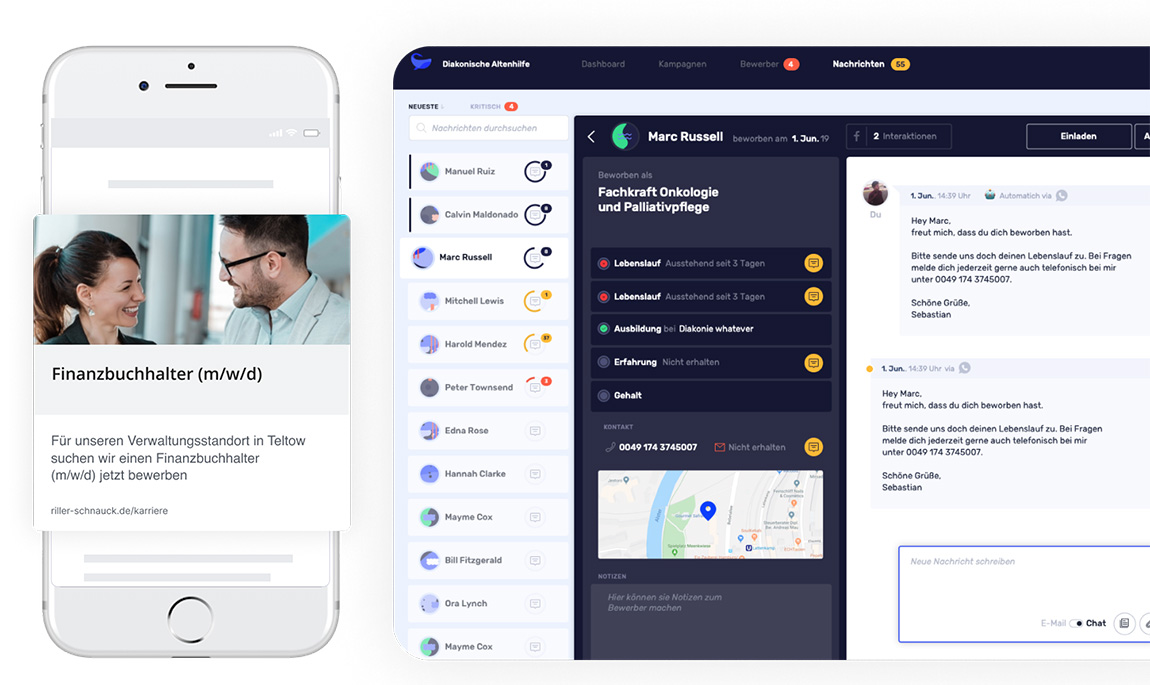
You ask me about the skin builder… Please make it modern, not from the early 2000 year… and please have a look on this:
or this:
Colors must be fresh and happy for new beginners… they are used to use whatsapp etc…
That would great if you can make it real… please.
Michael
Hello @Michael ,
Thank you for your feedback regarding the Webix skin builder. We appreciate your suggestions for improvement.
We recognize the importance of keeping our tools modern. While we understand the desire for an updated skin builder, we currently have several high-priority tasks that require our immediate attention.
That said, we acknowledge the value of this enhancement for our ecosystem and would like to express our intention to explore updates to the skin builder by the end of the year. However, we cannot commit to a specific timeline at this moment.
Thank you for your understanding, and we will keep your suggestions in mind as we continue to improve our offerings.
Hello Natalia.
I understand your priorities, and the layout isn’t always the focus of development. I’ve been with you since version 3.4 (I think), and that was quite a while ago. Back then, the skin builder looked like this too. But through my business, I’ve repeatedly received feedback that the layout looks a bit dated. And the look and feel is also an important factor for sales. The better business does, the sooner I can buy a new license from webix… What I’m saying is that a fresh layout drives sales and thus revenue… that’s something that suits you too…
With that in mind, have a nice weekend
Michael
Hello Natalia.
Is there any updates or news about your skin builder… which is not changed then webix 3.4…
I will need this very urgent…
Michael
Hello Michael,
The update for the Skin Builder is planned to be included in our next major release, which is currently scheduled for Summer 2026.
As a part of the update, Dark and Willow skins will be added to the skin builder. Our main goal is to ensure that this update will make it fully compatible with modern Webix versions, its skins, and their customizations. But at this point, we’re also reviewing feature requests (including yours, of course!) to see what else can be done for the specific update in 12.0 and further.
Hello Jahor.
Thank you for your message.
I have to say that customers pay a lot of attention to the layout. Sometimes even more than to the underlying functionality. You can include all the great features you want, but they also need to be presented attractively. Therefore, I ask you to pay attention to current trends: clean, free-flowing shapes, like those offered in Material Design.
One more question: Can this skin builder also be used with older Webix versions, say 10.0 and up?
Have a nice week
Michael
Hello Michael,
Thank you for your feedback, and yes, I agree with you. A new Material-inspired theme is something that we will consider adding.
The result produced by the skin builder is generated using the same scheme, and the naming of styles and selectors is stable. If a skin generated for the latest Webix is used on an older version, it may require minor adjustments in case there were changes that affect CSS.
However, the latest fixes in styling that I was able to review didn’t break backwards compatibility. So, yes - the skin builder can also be used with older versions, including 10.0 and up.
It would be a great addition if Webix could support automatic dark mode detection (matching the OS/browser preference) out of the box.
Currently, many modern web applications rely on the prefers-color-scheme media query. Having the ability to automatically switch between light and dark skins based on the user’s system settings—or at least providing an easier built-in way to toggle them—would significantly improve the developer experience and keep Webix aligned with modern UI/UX standards.
Looking forward to seeing more updates!
Hi @Supawit_Nu-iat,
It’s possible to use media queries in HTML <link> elements to conditionally load a skin based on user’s system preferences, for example:
<link rel="stylesheet" href="//cdn.webix.com/edge/skins/dark.css" media="screen and (prefers-color-scheme: dark)" type="text/css">
<link rel="stylesheet" href="//cdn.webix.com/edge/skins/willow.css" media="screen and (prefers-color-scheme: light)" type="text/css">
The browser will automatically pick the “Willow” skin as the light theme, and the “Dark” skin as the dark theme.
If you want to dynamically switch between skins, look into this example: Code Snippet
Note that in this case, you may also need to rebuild the Webix UI to recalculate sizes/margins of views, for example between skins with different spacing. In the example the layout is rebuilt using its reconstruct method. Skins “Willow” and “Dark” share same margins, so a rebuild may not be necessary (example: Code Snippet).
Thank you for the detailed snippet. While it demonstrates manual toggling, it also highlights the complexity of managing these states manually.
To make Webix truly modern, I suggest a native API that supports a “Three-state logic” (Light, Dark, and System/Auto). The ideal implementation should:
webix.skin.set("dark") to force a mode, which would automatically disable the OS-syncing logic until set back to “auto”.<link> tags and modifying media attributes is prone to errors and hard to maintain across different projects.rootView.reconstruct() which causes state loss for the user (example: Code Snippet).By providing a built-in webix.skin.setMode("auto" | "dark" | "light"), you would provide a complete solution that handles both modern OS-syncing and traditional manual control effortlessly.