Hello, if possible, could you please tell me how to make fields in the task/form and task/info forms Gantt uneditable depending on the task validation conditions? Is there an example showing how to do this?
Hello @IgorLelyakov,
To prevent Webix Gantt from being edited, you can use the readonly property. It will prevent any edits, including in the task form and task info views.
Webix Gantt can be further customized for more detailed configuration of both UI and data management services.
To override a component, you can use the override property. Webix views have methods enable() and disable() for their activation and deactivation.
- Example 1, condition - if the type of a task is “project”: Code Snippet
- Example 2, global switch to toggle the form: Code Snippet
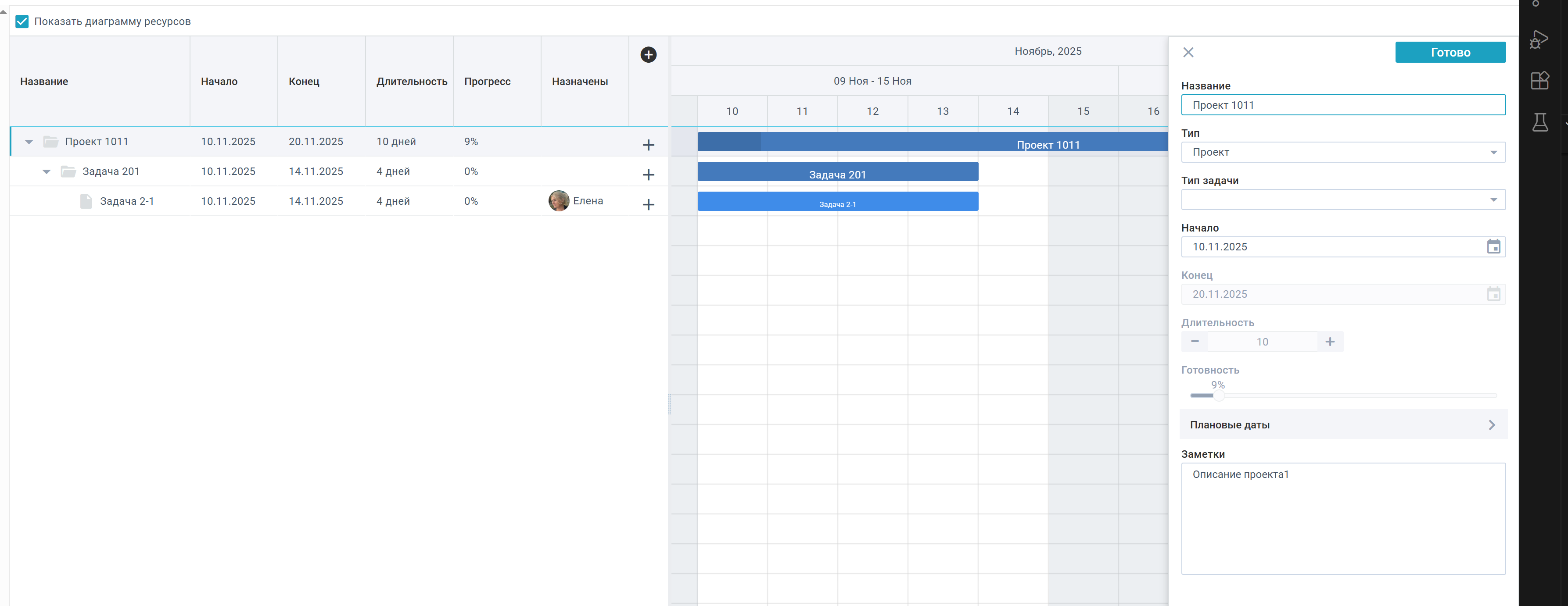
In those examples, I’ve added the CustomForm and the CustomInfo classes, that override the task form and task info views respectively. In the task form, the FillData() method is overriden, that fills the form depending on the selected task. In the task info, the FillTemplate() method serves the same purpose.
To prevent form elements from remaining being disabled, elements disabled by the condition will be added to the elementsDisabledByCondition set - to reset their state later when the selected task changes. Elements, that need to be disabled, are returned from collectDisableTargets() - you can edit it to disable only specific form fields.
I’ve also added an onBeforeDrag event listener - to prevent dragging the task depending on the condition.
Note that the source code of complex Webix widgets, including Webix Gantt, is available only in the PRO version. In case you use the Trial version, customization can be less obvious. However, regardless of the version, we will be glad to help you.