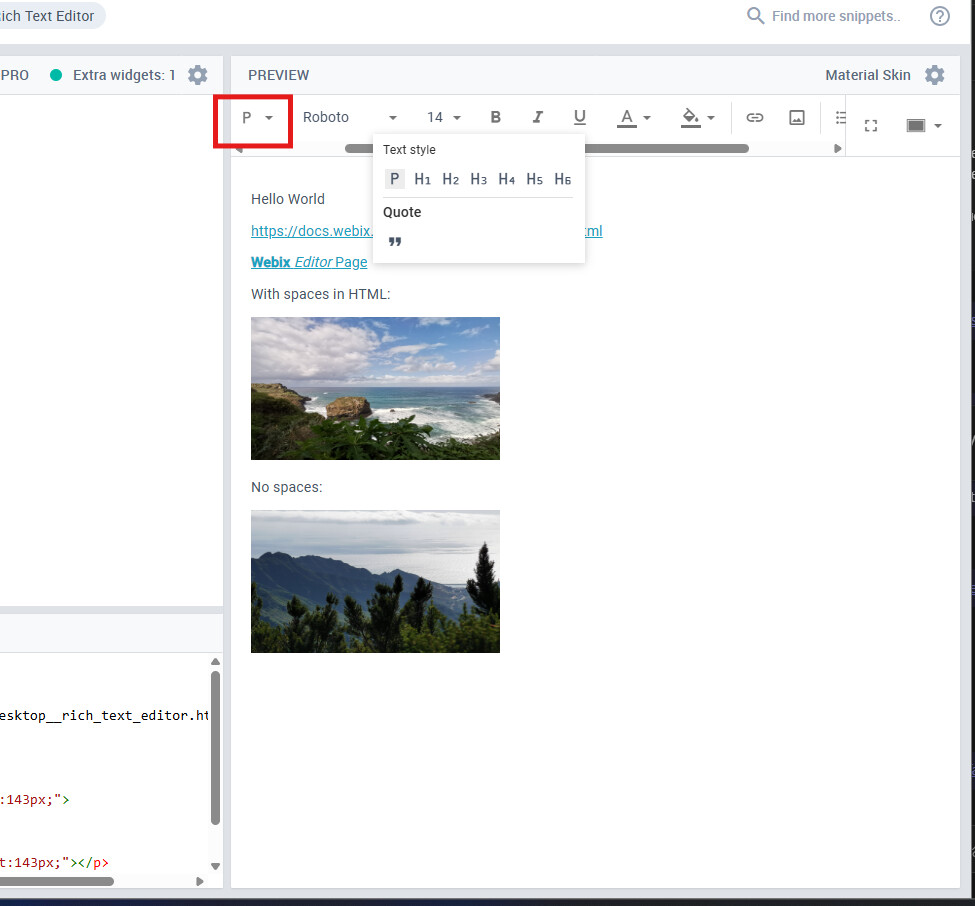
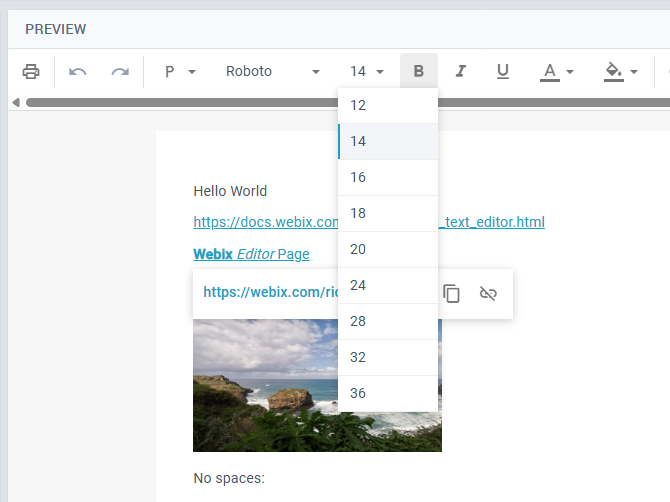
After opening a dropdown in the toolbar, then side scrolling, the dropdown stays in a fixed style position.
It works with any dropdown within the toolbar, the example on the image shows the opened “Style” menu, during side scrolling.
This popup menu should be closed when the scrolling starts, or it should follow the scrolling. Personally, I think closing it during scrolling would be the cleaner ssolution, but it is a design choice.
Could you help us with this issue?
Thank you in advance.
Unfortunately, it is a known issue related to the dropdowns inside a scrollview, which is not fixed yet and affects a RichText widget as well. You could find out the details in this thread: Popup remains visible when scrolling inside scrollview .
However, you could use the provided workaround to close popups during scrolling. Please, check this example: Code Snippet .
The workaround is working for now, thank you for providing it. Even improved on it a bit, since we found that the link popup and the other toolbar popups can be opened at the same time, and overlap each other. So on our end we added a workaround for that as well, using the same click method you provided.
We will release our product within a couple of days, and now applied your 11.4.3 package to it. Just asked on the updates, because if something will be released soon on your end, we would incorporate and test it.