Hi @Natalia_Shilova @NatashaS
https://snippet.webix.com/kriigubk
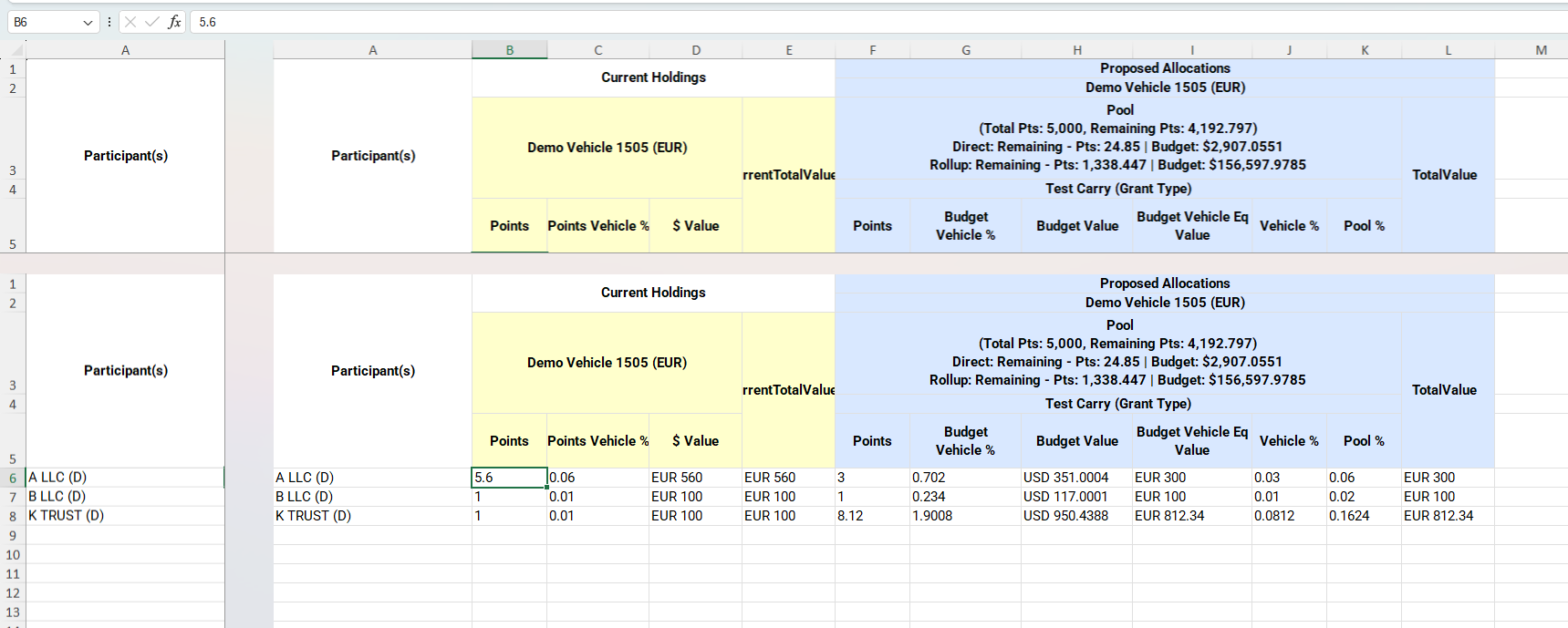
In the provided snippet if we do export to Excel of spreadsheet and try to edit data in exported file, and scroll down and right, we see this issue.
Hello @Harshvardhan_Gaddam ,
The behavior you’re seeing after exporting to Excel is not a bug in the export itself, but rather a display quirk of how Microsoft Excel renders frozen rows and columns. The internal row/column numbering stays consistent, but Excel may show frozen panes in a way that looks confusing when you scroll: almost like a duplicate or offset display of the headings.
Unfortunately, we have no control over this: how frozen panes are physically shown is entirely up to the Excel application (its version, view settings, etc.). It appears to be a particular “freeze panes” display mode that Excel uses under certain conditions.