Hi @Natalia_Shilova @NatashaS
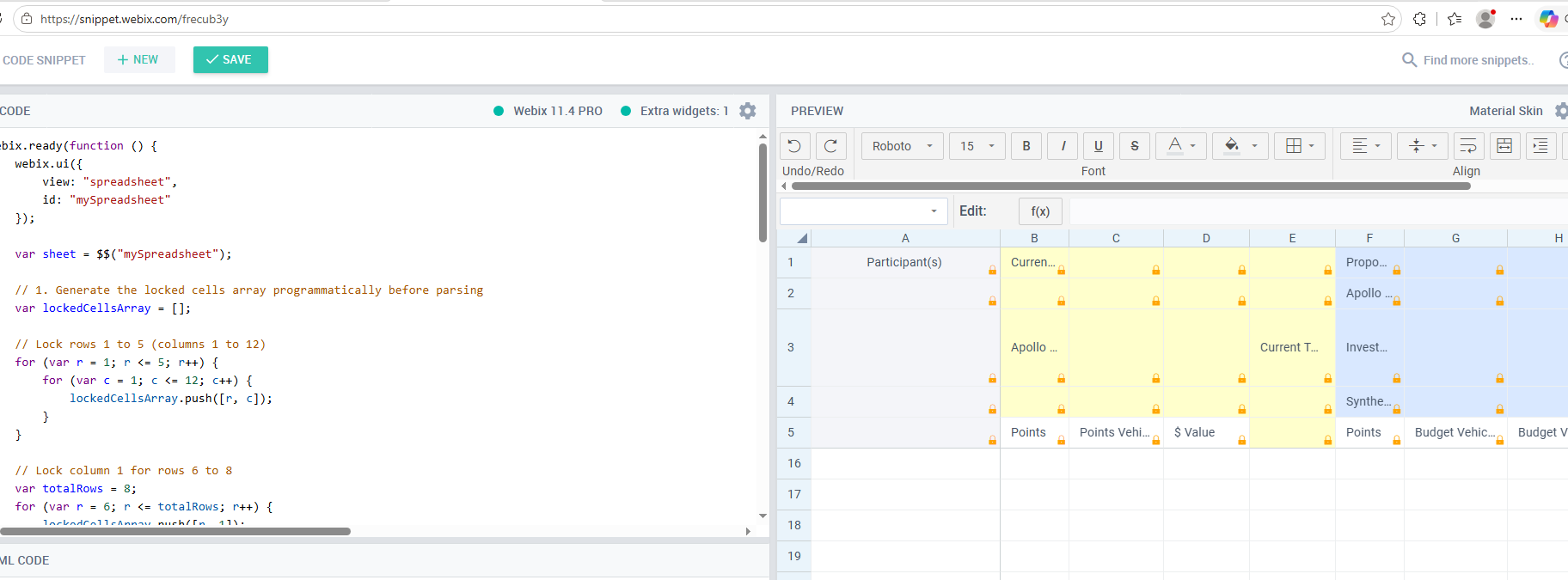
Styles not getting applied to SpreadSheet when parse method is used.
I want to apply styles, use setFormat etc… with parse method, basically I have to render around 5000 rows and 2000 columns, so I have to go with parse method.
When using parse(), styles are not getting applied.
Can you please help here
https://snippet.webix.com/vsyeuxvr
Thanks!
Hello @Harshvardhan_Gaddam ,
The issue is that the styles and data formats you’re using are not what sheet.parse() expects. That is why styles (background, borders, alignment) are ignored:
-
parse requires each style to be a pair [name, "18 semicolon separated properties"] .
Your array ["background-color: ...", "", "center", "middle"] is not recognised.
The correct order of the 18 properties is:
color; background; text-align; font-family; font-size; font-style; underline; font-weight; vertical-align; wrap; borders; format; border-right; border-bottom; border-left; border-top; strike; indent.
-
Style references in data must be strings, not numbers. You wrote [1, 1, "Participant(s)", 0] but the fourth element must be the name of a style (like "s0" ), not an index.
-
white-space and line-height are not supported in style strings. The allowed CSS properties are limited (see the list here). Use the built‑in wrap field (position 10) to enable text wrapping.
Please check the example: Code Snippet
We have checked the same snippet you have provided in our client machine it is still breaking.
We will check with our team for workspace configuration.
We really appreciate your quick response, will reach out if we need any help further.
Thanks
We remain ready to continue investigating once you have more details. Feel free to reach out.
1 Like
Hi @Natalia_Shilova
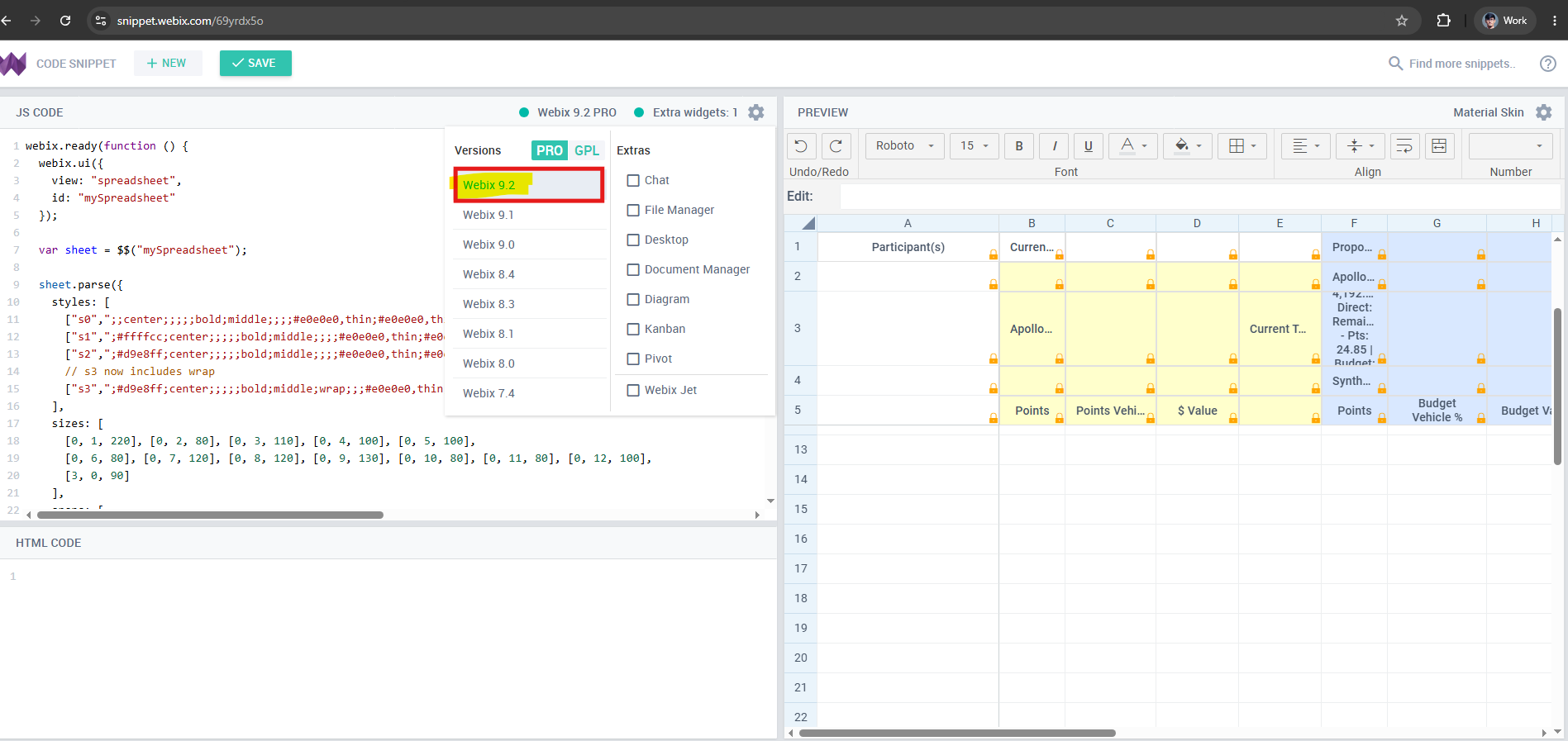
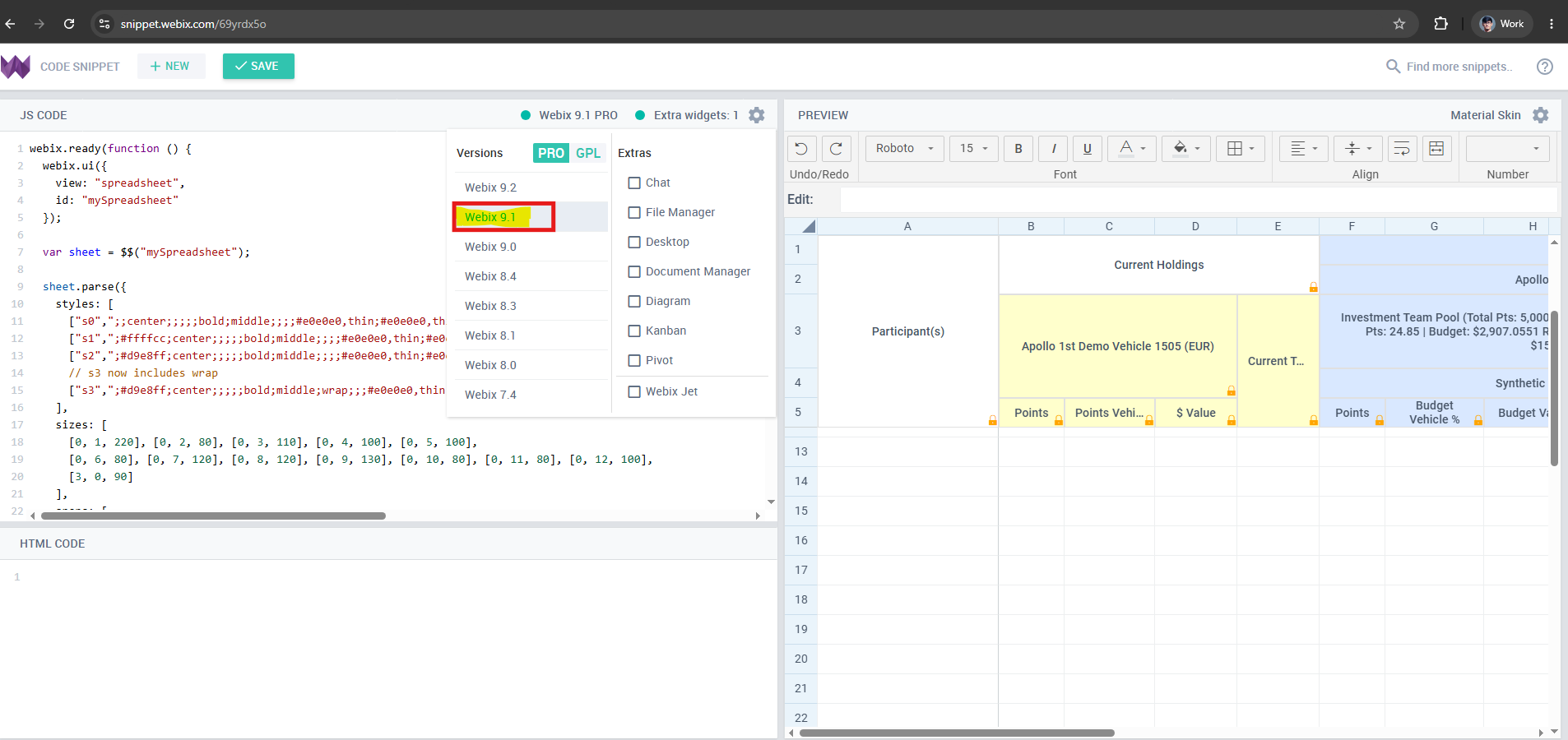
We observed that this issue is from webix version 9.2 and above.
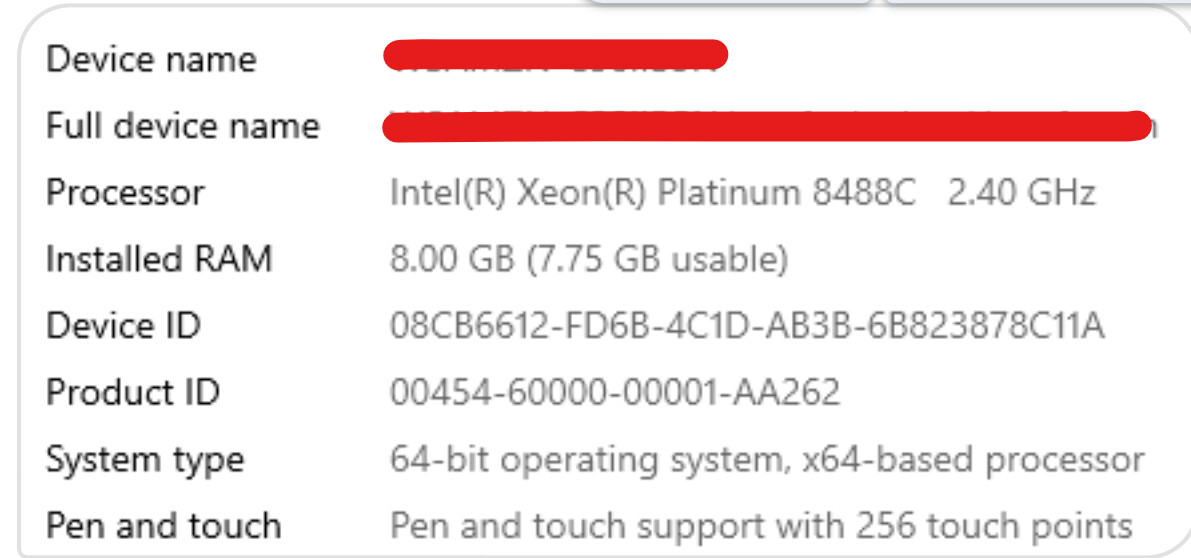
Sharing wokspace details where we are testing this.
Excluding BYOL bundle, you can create your own bundle in AWS Workspace with below mentioned configurations.

Thank you!
Hi @Natalia_Shilova
Can you acknowledge this and provide some update on this.
Thank you!
Hello @Harshvardhan_Gaddam ,
After further analysis, we were able to partially reproduce a similar visual glitch, specifically with merged cells (spans) rendering incorrectly. It appears that the problem is triggered when the browser runs in a touch‑enabled mode .
In your environment, the system may force touch mode, even if no physical touch screen is present. This would explain why the issue does not occur on our local machines but appears in your WorkSpaces.
The glitch is reproducible across multiple Webix versions (9.1, 9.2, 11.4) and does not depend on the Webix version . We consider this a bug that needs to be fixed.
To confirm whether this matches what you are seeing, could you please open the following snippet in your WorkSpaces environment?
Example with touch mode disabled: Code Snippet
This snippet explicitly sets webix.env.touch = false; before creating the spreadsheet. If the rendering of the merged cells becomes correct in your environment with this setting, it would confirm the connection.
For reference, here is the same snippet with touch mode forced on (webix.env.touch = true; ), which reproduces the defect on our side: Code Snippet
Please note that on real touch devices, forcing touch mode off may interfere with normal touch interactions, but for this test we are only interested in whether it resolves the visual glitch on your WorkSpaces. After the test you can remove the flag.
Once you have a chance to test this, we would be very interested to hear the result.
Hi @Natalia_Shilova
I have tested the snippets you have provided and I see when we disable touch, it works fine.
For the most part we will be using desktops, so this might be helpful, we will be trying this out in our platform code.
If we find any issues as we are using this flag, we will reach out to you.
Thank you!
Glad this helped. Hopefully a permanent fix will be available in the future.